



Build persistent, stateful chat sessions that handle long-running conversations across multiple interactions and users. A user might start a conversation now, respond hours later, and return again after a few days. Multiple users may be having separate conversations going on, and a single conversation may be open in multiple browser windows. This guide helps you with implementing persistent chat sessions with Restate.Documentation Index
Fetch the complete documentation index at: https://restate-6d46e1dc-pavel-xumzvomylzon.mintlify.app/llms.txt
Use this file to discover all available pages before exploring further.
Virtual Objects
To implement stateful entities like chat sessions, or stateful agents, Restate provides the service type Virtual Objects. Each Virtual Object instance maintains isolated state and is identified by a unique key. Here is an example of a Virtual Object that represents chat sessions: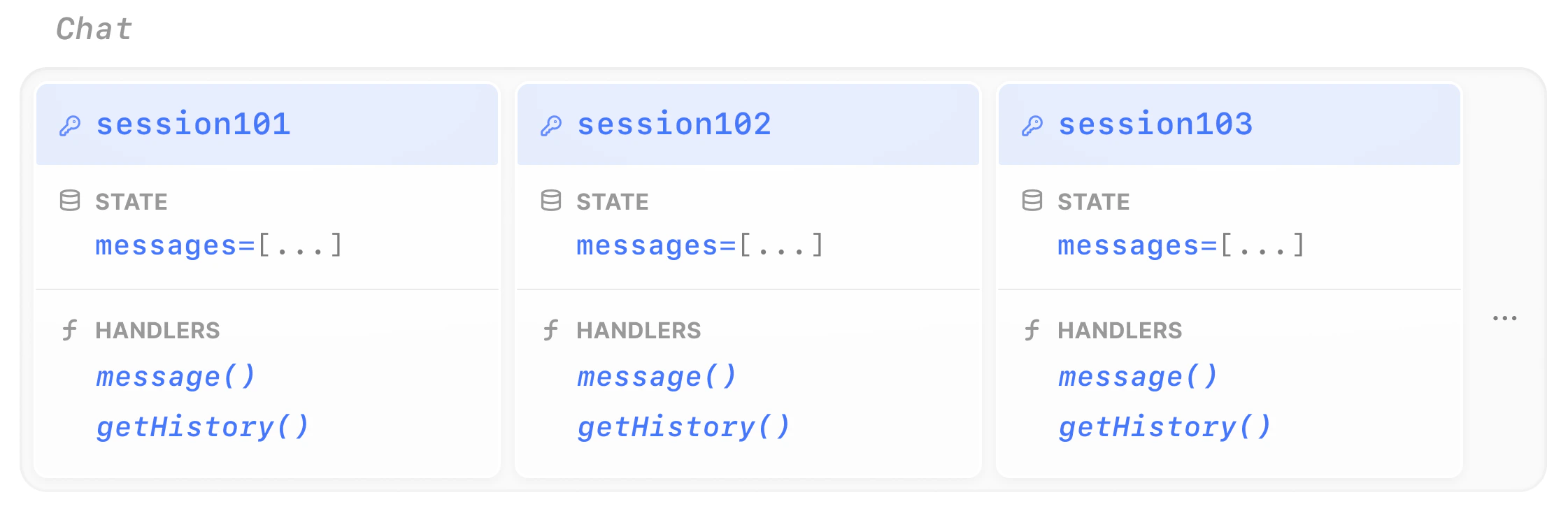
- Durable state: Conversation history or any other K/V state (e.g. user preferences) that persists across failures and restarts
- Session isolation: Each chat gets isolated state with automatic concurrency control (see below
- Works with any LLM SDK (Vercel AI, LangChain, LiteLLM, etc.) and any programming language supported by Restate (TypeScript, Python, Go, etc.).
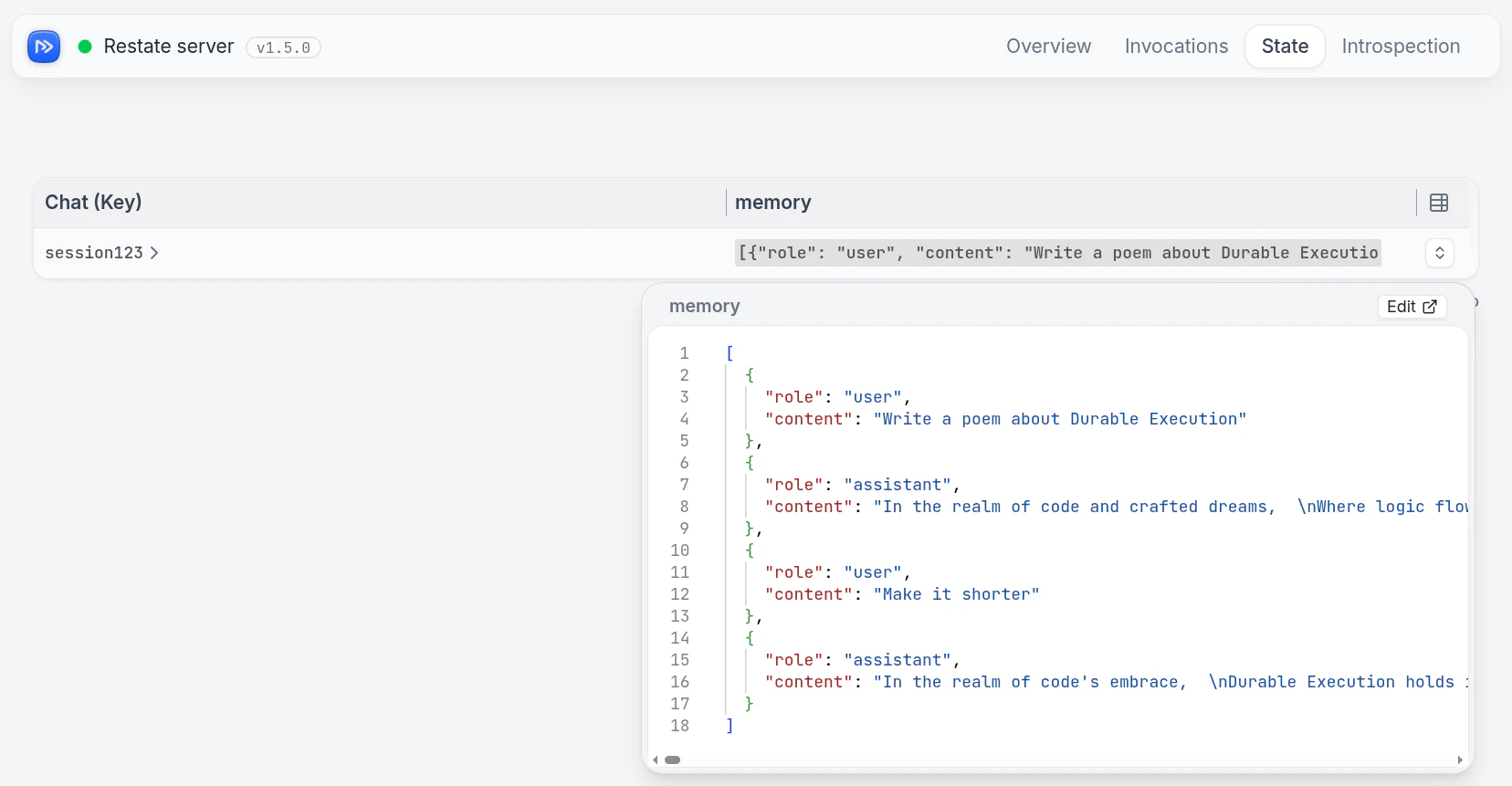
Run the example
Run the example
Requirements
- AI SDK of your choice (e.g., OpenAI, LangChain, Pydantic AI, LiteLLM, etc.) to make LLM calls.
- API key for your model provider.
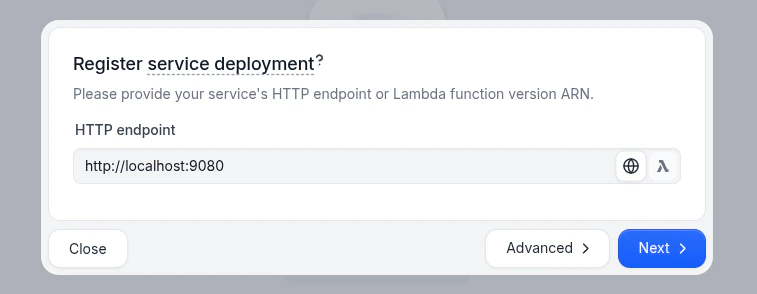
Start the Service
Export the API key of your model provider as an environment variable and then start the agent. For example, for OpenAI:
Send messages to a chat session
- UI
- curl
In the UI (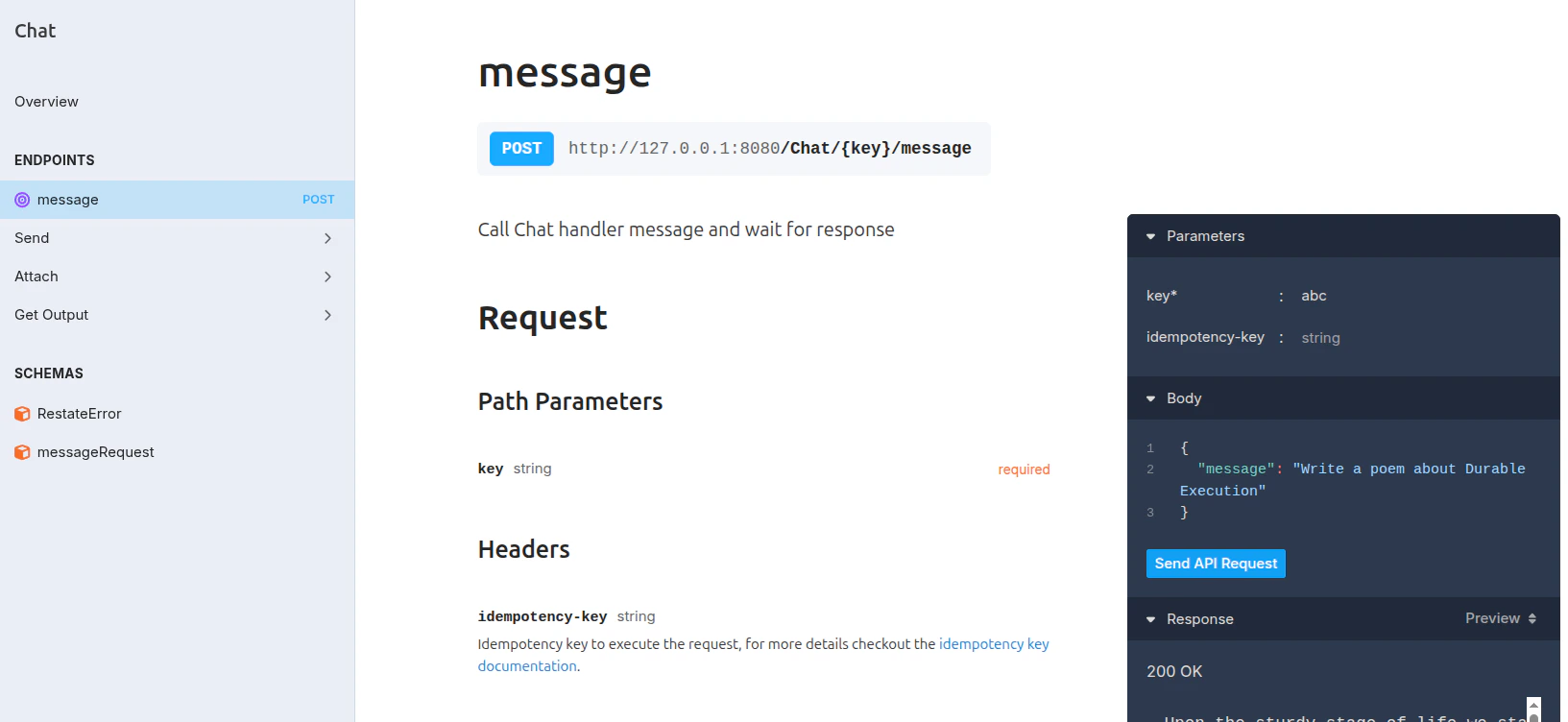
http://localhost:9070), click on the message handler of the Chat service to open the playground.
Enter a key for the chat session (e.g., session123) and send messages to start a conversation.Built-in concurrency control
Restate’s Virtual Objects have built-in queuing and consistency guarantees per object key. Handlers either have read-write access (ObjectContext) or read-only access (shared object context).
- Only one handler with write access can run at a time per object key to prevent concurrent/lost writes or race conditions (for example
message()). - Handlers with read-only access can run concurrently to the write-access handlers (for example
getHistory()).
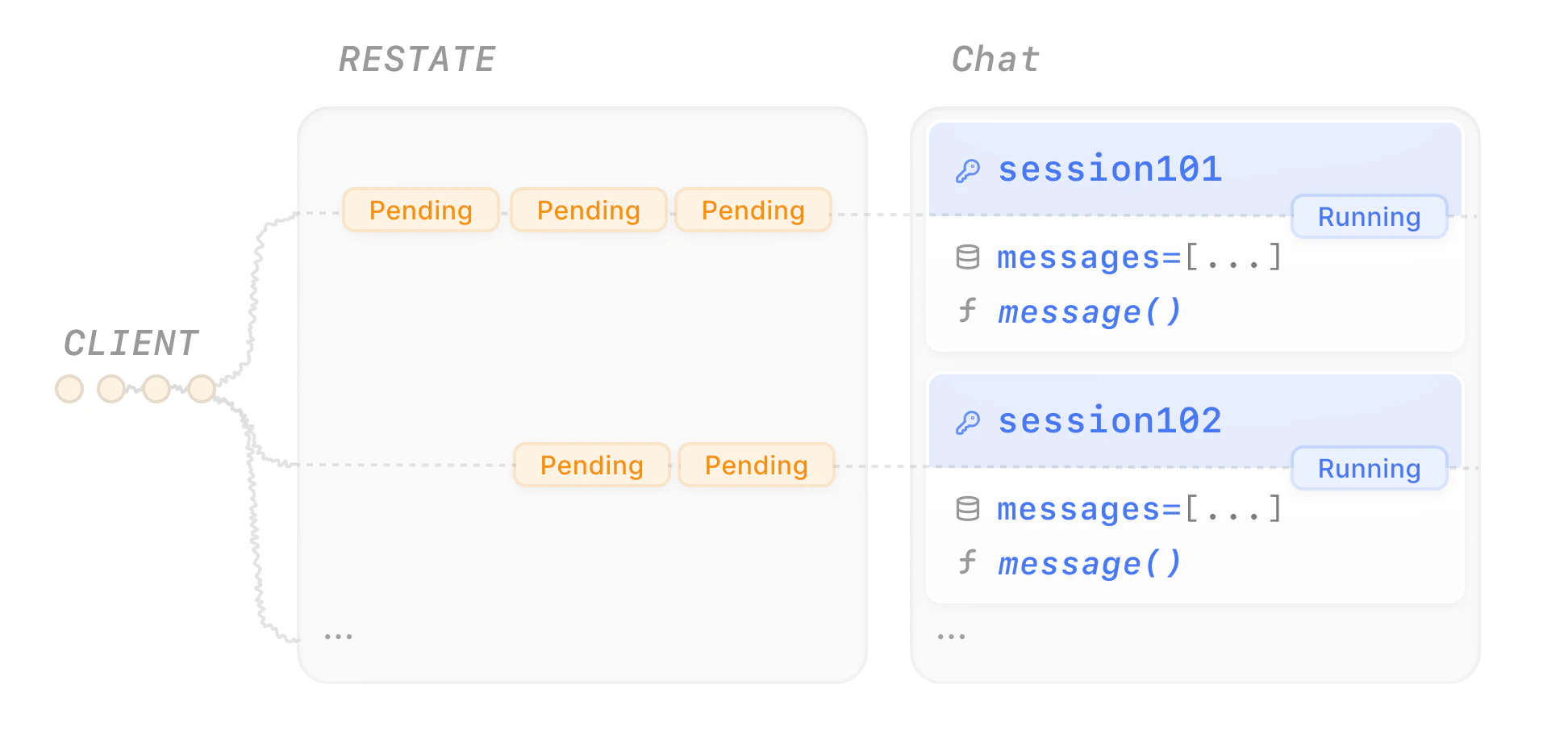
message handler is an exclusive handler, while the getHistory handler is a shared handler.
Let’s send some messages to a chat session:
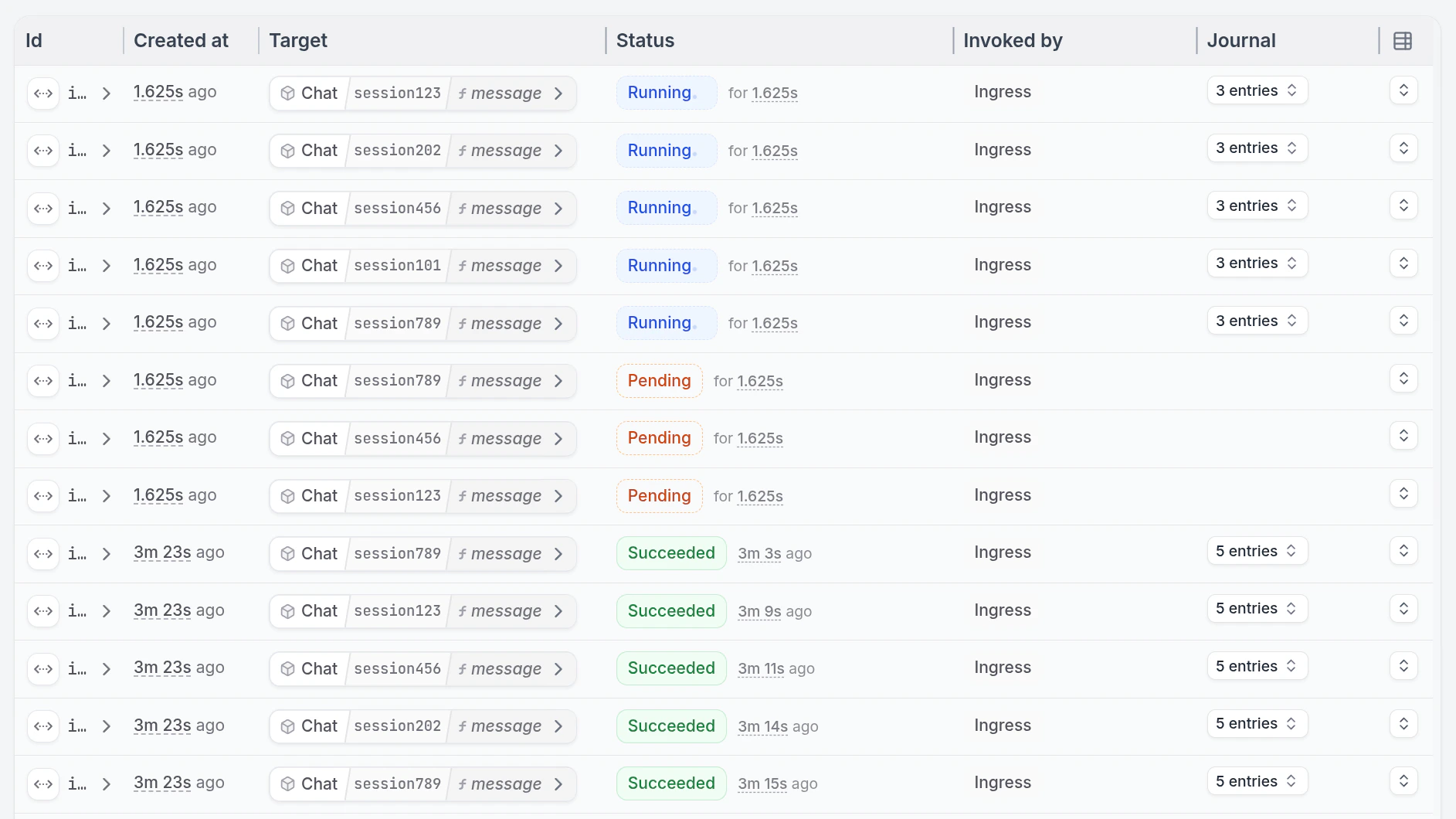
Retrieving state
The state you store in Virtual Objects lives forever. If you want to resume a session, this means simply sending a new message to the same virtual object. To retrieve the state, we can add a handler which reads the state. Have a look at thegetHistory/get_history handler in the example above.
Call the handler to get the history:
message handler.