


A BYOC region is a Restate Cloud data plane running in your cloud account. Setting one up is a collaborative process between you and Restate.Documentation Index
Fetch the complete documentation index at: https://restate-6d46e1dc-pavel-xumzvomylzon.mintlify.app/llms.txt
Use this file to discover all available pages before exploring further.
Requesting a BYOC region
To get started, contact Restate with:- Cloud provider: AWS, Azure, or GCP
- Region: the cloud provider region where you want the data plane deployed (e.g.
us-west-2,eu-west-1,eastus2)
- Foundation stack deployment instructions — a CloudFormation quick-create URL (AWS), ARM template link (Azure), or equivalent for your provider
- Region secret key — a one-time token that authenticates the deployment agent with Restate’s control plane
Deploying the foundation
The foundation is the only layer you deploy manually. It creates the networking, secrets store, and deployment agent in your account. The remaining layers are provisioned automatically.- AWS
- Azure
Restate provides a CloudFormation quick-create link that pre-fills the template URL and stack name. The link looks like this:Opening this link takes you directly to the CloudFormation “Quick create stack” page.The stack creates:
Review the template
The template URL is pre-filled. You can expand View template to inspect the resources that will be created.The stack name is customizable — choose something meaningful to your team, such as 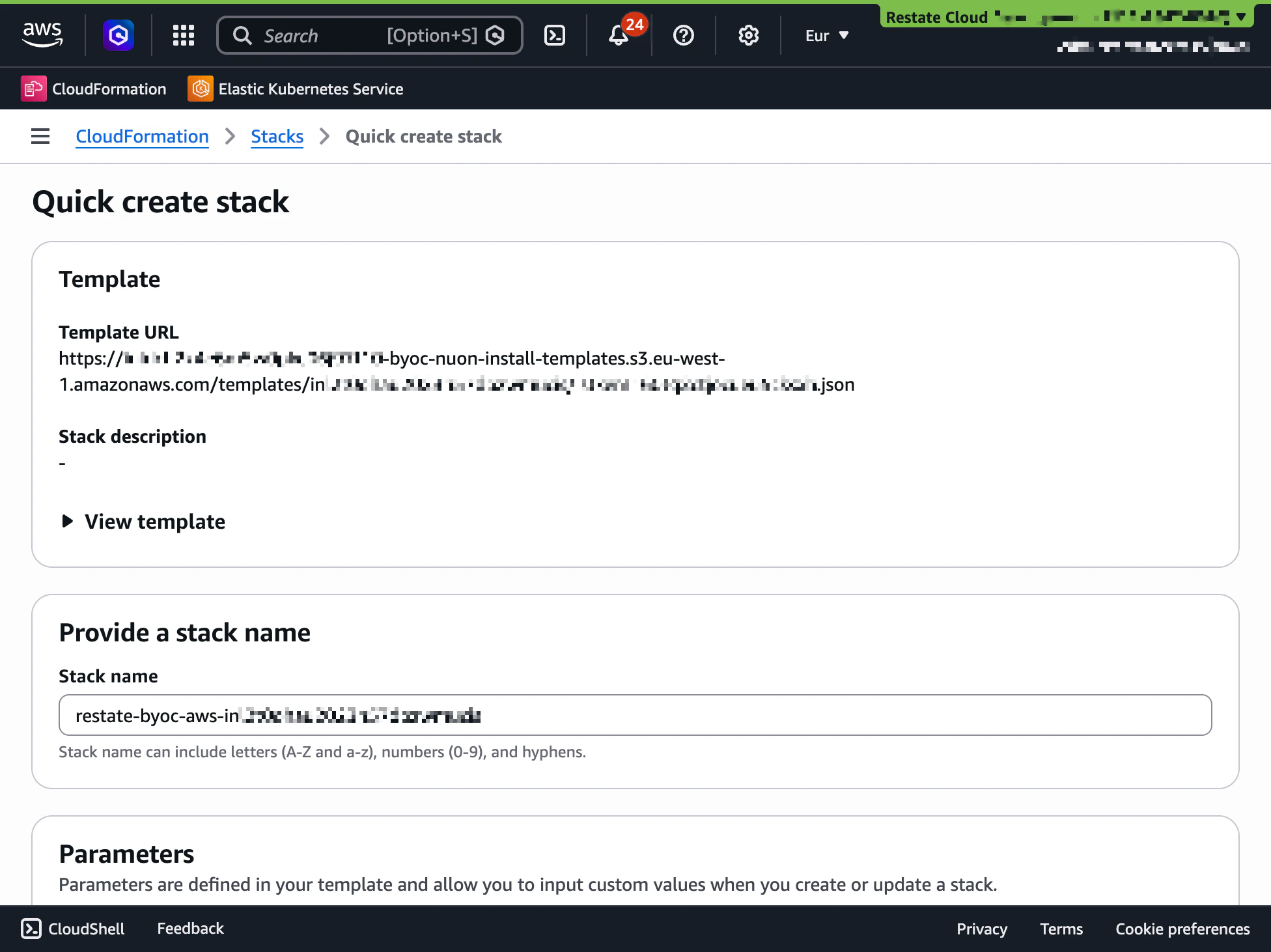
restate-byoc-production or restate-byoc-staging.Enter the region secret key
Under Application Secrets, paste the region secret key provided by Restate. This key is used once to authenticate the deployment agent with Restate’s control plane.Leave the Access Permissions defaults as-is.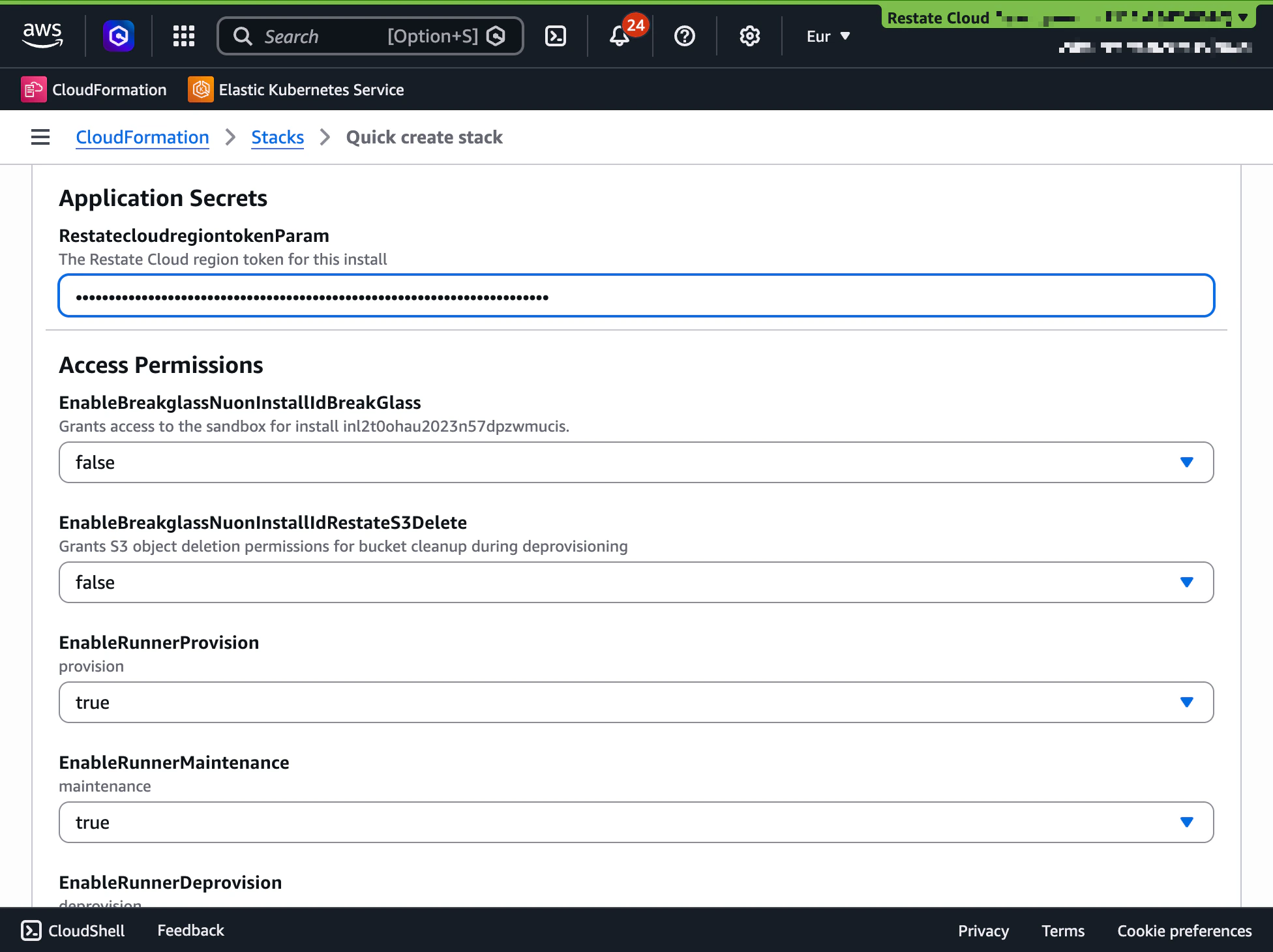
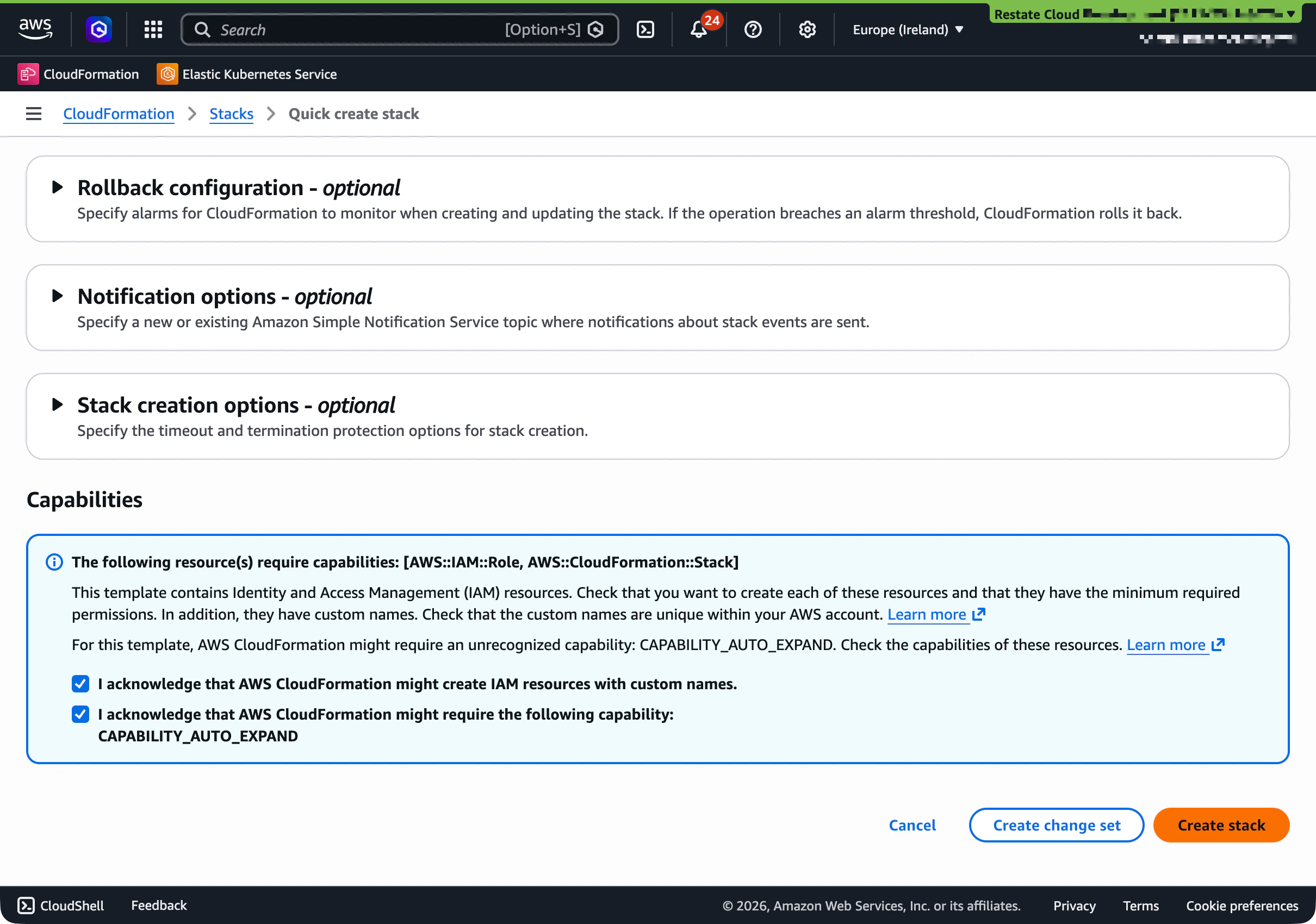
- A VPC with public and private subnets across availability zones
- A secrets store (AWS Secrets Manager) for the region secret key
- The deployment agent (an EC2 Auto Scaling Group) with scoped IAM roles
Layer 2: Infrastructure
Once the foundation is in place, the deployment agent automatically provisions:- A managed Kubernetes cluster (EKS on AWS, AKS on Azure)
- A container registry for Restate component images
- Certificate management (cert-manager with DNS validation)
- Service mesh (Linkerd) for in-cluster mTLS
- Network policies for workload isolation
Layer 3: Application
After the infrastructure is ready, the following Restate data plane components are deployed into the cluster:- Ingress proxy — routes traffic from your services to Restate environments
- Tunnel — enables connectivity between Restate and services in other VPCs or networks
- Restate operator — manages Restate environment lifecycle (create, update, scale, delete)
- Monitoring — metrics collection and log aggregation
Ongoing updates
After the initial deployment, Restate pushes updates to the infrastructure and application layers through the same deployment agent. Updates include:- Kubernetes version upgrades (coordinated with you in advance)
- Restate component releases
- Security patches and node OS updates (automated via drift detection)